The editor
Anatomy of the editor
The editor is one component that does many things, each in its own place on it. These are the places, by the names we use for them — in the code, in these pages and when we talk with you.
The map
The view fills the editor; everything else floats over it in small pills and cards, so the house is never pushed aside. A place is only shown when there is something in it: one view needs no switch, a view without tools has no rail.
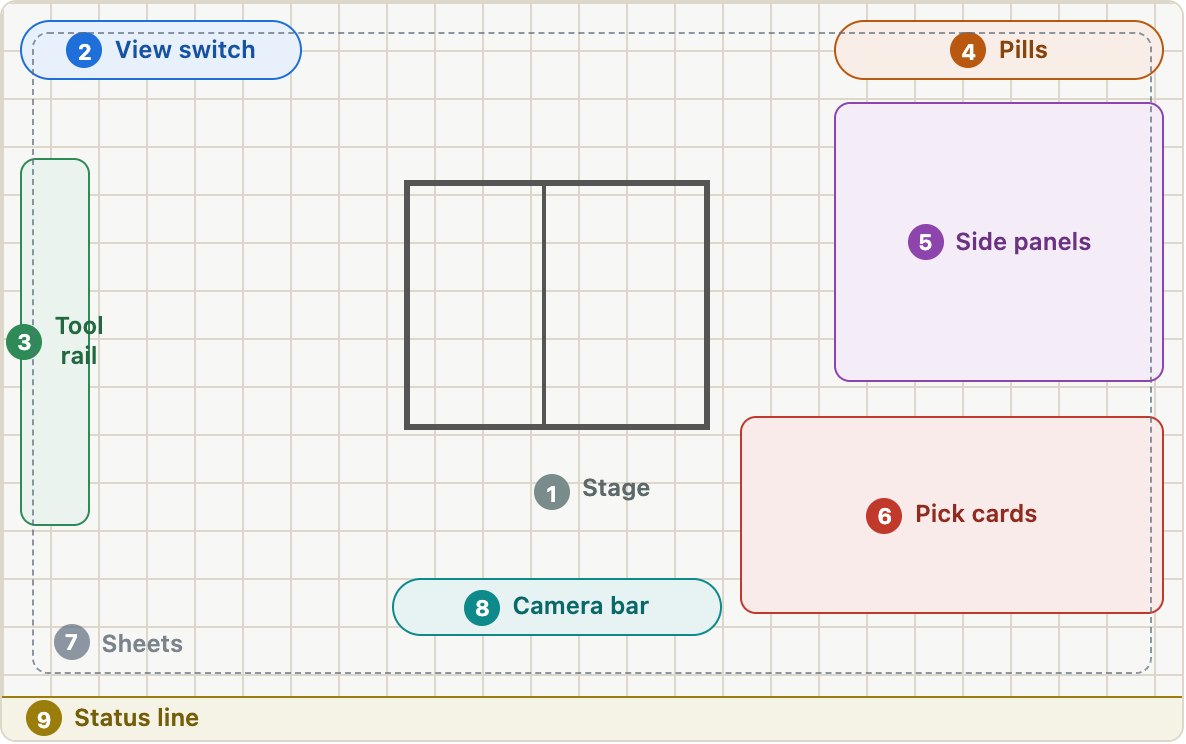
The regions
| Region | What it is for | Put there with |
|---|---|---|
| 1StageThe whole editor, under everything else | The view shown: the house in plan, in 3D or as its drawings. Everything else floats over it.2D plan editor, 3D viewer, the shell’s 3D, the drawing set | ctx.addView({ id, label, pane, fit, nav }) |
| 2View switchTop left | Switches between the views, in their order. Hidden while there is only one view.3D · 2D · Drawings | ctx.addView({ label, hint, order }) · editor.view |
| 3Tool railDown the left edge, under the view switch | The tools of the view shown: what a click in the view does. Changes with the view.Select, Wall, Arc, Section (2D) · Faces, Edges (3D) · Members, Faces (shell) | ctx.addTool({ view, item, active, pick }) |
| 4PillsTop right | The features’ switches and menus: each opens a panel or switches a way of showing the house.Build-ups, Frame, Rooms, Module, Display | ctx.addPill(el, shown) |
| 5Side panelsDown the right side, under the pills | What a pill opens: a list or a panel about the whole house. A host’s own panel can open here too.Build-ups list, Frame panel · a host’s panel | ctx.addOverlay(el) · editor.openPanel({ place: 'side', … }) |
| 6Pick cardsOver the foot of the view, right (the freeform and member cards left) | About what was clicked in the view: a face, an edge, a room, a member. A host can take the click and show its own card here instead.Face card, joint wizard, freeform card, room card, member card · a host’s card | options.onPick(pick, editor) · editor.openPanel({ place: 'card', … }) |
| 7SheetsOver the whole view | A view a level down, opened from the one under it, which shows dimmed round its edge. The cross, Escape or Back goes back.A section opened, a build-up in the layer builder | <sk-sheet> through ctx.addOverlay(el) |
| 8Camera barOver the foot of the view, centre | Moves the camera: select, orbit, pan, zoom extents, the level shown, explode. Keys O, H, Space, Shift+Z.Select · Orbit · Pan · Zoom extents · Levels · Explode | the view’s nav(), setNavMode(), fit(), pickLevel() |
| 9Status lineAlong the foot | What the last edit did, or why it was refused; what the view shows in figures.“Shell: 412 members of timber.” · “Deleted ‘Wall 2’.” | ctx.status.set(text) |
On the editor itself
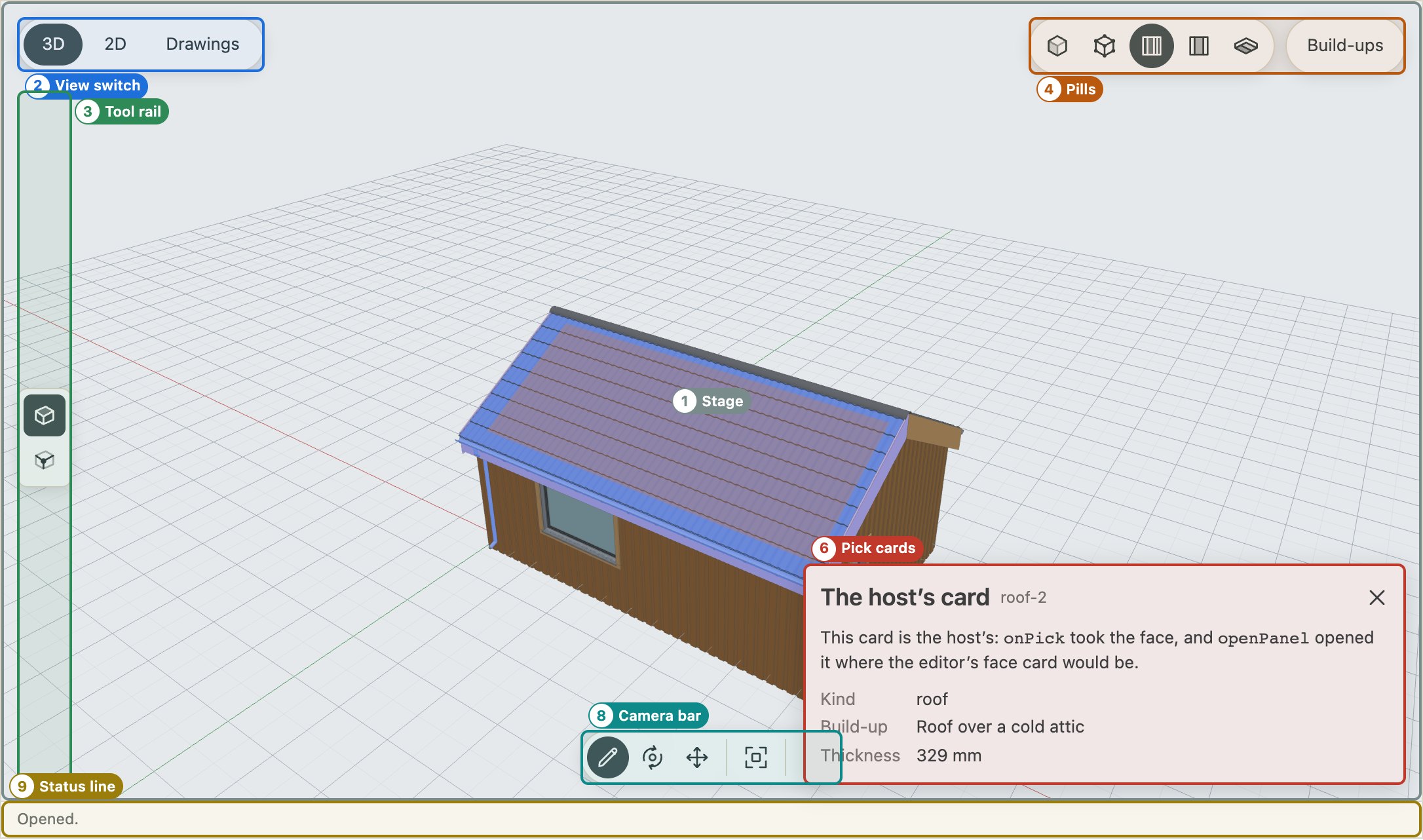
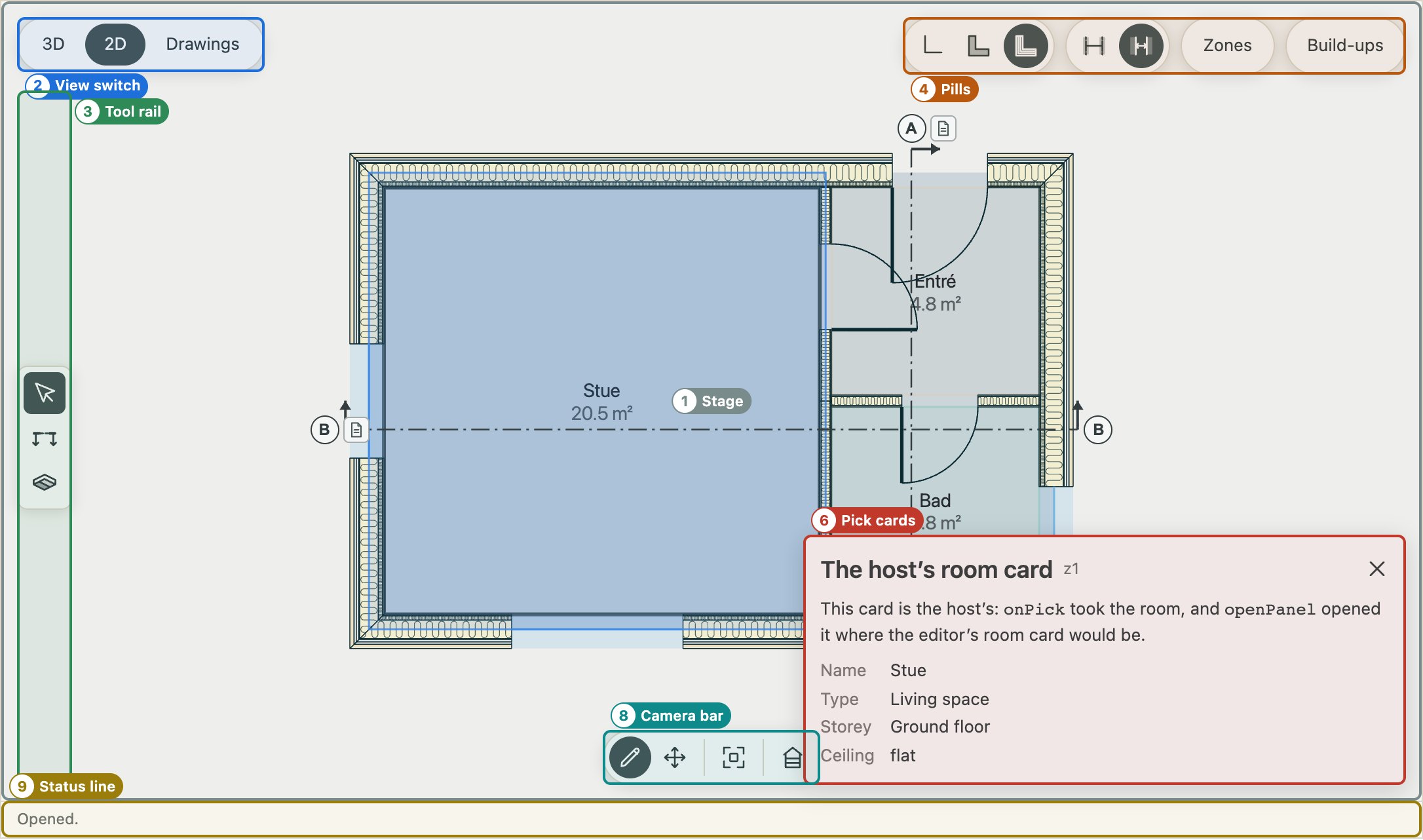
The same regions outlined on a live editor. Here a face has been clicked in 3D: its card opens over the foot of the view, at the right — a card of the host’s own, in this case (see Make it your own).